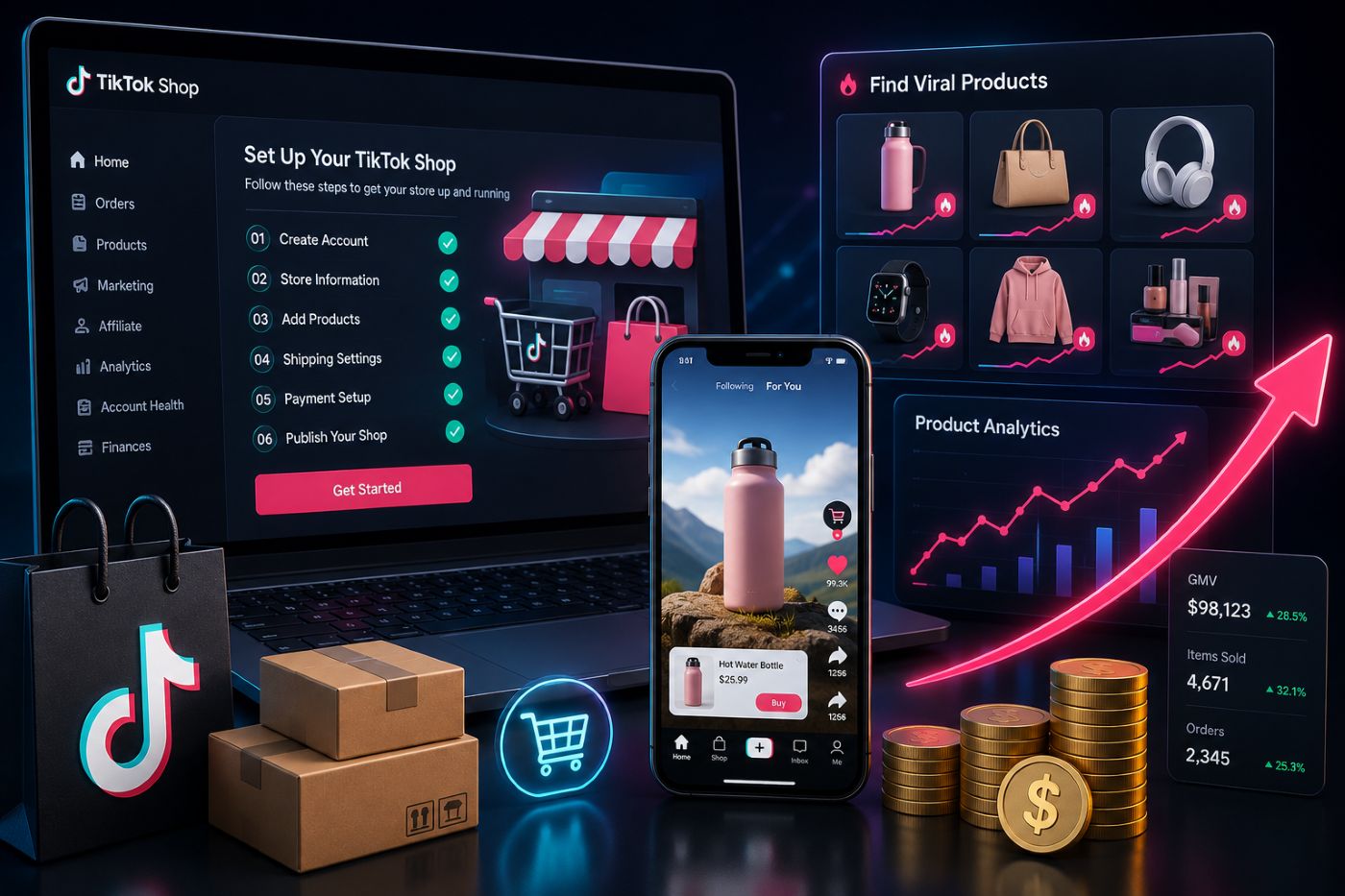
But setup is only the first step. The real work begins before and after account approval: choosing the right products, understanding competitors, finding creators, preparing content, and reading live commerce signals.
That is where EchoTik TikTok E-commerce Analysis becomes useful. TikTok Shop helps you operate the store. EchoTik helps you decide what to sell, who to work with, and how to grow with market data.
Outline
- What Does It Mean to Set Up TikTok Shop?
- Why TikTok Shop Setup Matters in 2026
- Key Takeaways
- May 2026 TikTok Shop Setup Data Checklist
- What You Need Before Setting Up TikTok Shop
- Step-by-Step Workflow: How to Set Up TikTok Shop
- What to Do Before Listing Your First Product
- How EchoTik Helps After TikTok Shop Setup
- Product Research Before You Sell
- Creator, Competitor and Live Stream Research
- Common Mistakes to Avoid
- FAQ
- Final Thoughts
What Does It Mean to Set Up TikTok Shop?
Setting up TikTok Shop means creating the seller-side foundation that allows your business to sell products through TikTok’s commerce system.
In practice, this usually includes Seller Center access, seller verification, business details, warehouse or pickup address, return address, bank account setup, product listing preparation, and store operation settings.
For a new seller, setup can feel like the hard part. Documents, verification, product categories, logistics, policies, and account access all take time.
But from an operator’s perspective, setup is only infrastructure.
A TikTok Shop that is technically approved can still fail if the seller chooses weak products, ignores creator fit, copies saturated competitors, or launches without understanding live commerce behavior.
So the better question is not only:
“How do I set up TikTok Shop?”
The better question is:
“How do I set up TikTok Shop in a way that gives the store a real chance to grow?”
Why TikTok Shop Setup Matters in 2026
TikTok Shop is not a traditional ecommerce marketplace where sellers upload products and wait for search traffic.
It is a content-commerce environment.
A product may get attention because a creator demonstrates it well.
A shop may grow because it repeats one strong video format.
A live room may convert because the host handles buyer objections clearly.
A category may become crowded before new sellers even finish onboarding.
That changes the setup mindset.
Your TikTok Shop setup should not start with products from a supplier spreadsheet. It should start with market signals:
- Which products gained attention last month?
- Which categories still show activity this month?
- Which creators are shaping demand?
- Which competitor shops are scaling?
- Which live rooms are repeatedly explaining similar products?
- Which product claims or categories may create policy risk?
This is why serious sellers use tools like EchoTik’s product research workflow before building their product list.
Key Takeaways
- TikTok Shop setup is necessary, but setup alone does not create sales.
- Sellers should validate product demand before uploading listings.
- Seller Center handles the operational side of TikTok Shop.
- EchoTik helps sellers understand market demand, product momentum, creators, competitors, videos and live streams.
- The best setup workflow is: verify the account, research the market, list carefully, test content, monitor competitors, and improve weekly.
- Product research should happen before the first listing goes live.
May 2026 TikTok Shop Setup Data Checklist
Use this May 2026 checklist before building your June TikTok Shop plan. It is designed for sellers who want to avoid blind setup and make better decisions from the beginning.
| May 2026 Setup Layer | What to Review | Why It Matters | Best Next Action |
|---|---|---|---|
| Market readiness | Your target country, category and seller type | TikTok Shop rules and access vary by market | Confirm official Seller Center requirements |
| Product demand | Products active across videos, shops, creators and live rooms | Shows what buyers cared about last month | Build a product validation list |
| Category movement | Active niches such as beauty, home, pet, kitchen, fashion or lifestyle | Helps avoid outdated product ideas | Choose one focused category first |
| Competitor shops | Shops pushing similar products | Reveals positioning, saturation and content strategy | Build a competitor watchlist |
| Creator activity | Creators posting around your category | Shows who can influence buyer trust | Build a creator outreach shortlist |
| Video patterns | Hooks, demos, reviews, comments and objections | Shows how buyers understand products | Build your first content brief |
| Live stream signals | Product order, host scripts and audience questions | Reveals buyer hesitation in real time | Prepare demo and live scripts |
| Policy risk | Prohibited, restricted or claim-sensitive products | Prevents listing removals and account issues | Check policy before listing |
| Listing quality | Product title, images, category, attributes and description | Weak listings reduce trust and may trigger review | Write listings around buyer questions |
| Weekly review | Product tests, creator outreach, competitor changes and content results | Setup needs ongoing improvement | Create a weekly seller action file |
The point is simple: do not set up TikTok Shop first and think later. Research first, then set up with a sharper plan.
What You Need Before Setting Up TikTok Shop
Before opening Seller Center, prepare both your documents and your strategy.
Seller Eligibility and Market Rules
TikTok Shop availability and seller requirements vary by region. Always check the official Seller Center guidance for your target market before applying.
Login Method
TikTok’s official setup guide explains that sellers may sign in to Seller Center or sign up with a TikTok account, email or phone number. Keep the owner login clean and secure.
Business or Individual Information
Depending on your seller type, you may need personal identification, business registration documents, tax-related information or other verification materials.
Bank Account Information
TikTok’s setup process may require banking details. The account information should match the registered seller or business entity according to market requirements.
Warehouse and Return Details
Sellers usually need to set warehouse, pickup or return address information. This affects fulfillment and customer service operations.
Product Category Plan
Do not wait until after approval to decide what to sell. Choose a product category before setup, then use EchoTik TikTok E-commerce Analysis to validate demand.
Step-by-Step Workflow: How to Set Up TikTok Shop
Step 1: Choose Your Market and Seller Type
Start with the country or market where you plan to sell. Then identify whether you are applying as an individual seller, business seller, brand owner, reseller or another eligible seller type.
Requirements differ. Do not copy another seller’s setup blindly.
Step 2: Enter Seller Center Through the Official Path
Use the official TikTok Seller Center access point for your market. Avoid unofficial login links, search ads, private messages or third-party “setup services” that ask for sensitive information.
A seller account controls products, orders, customer data and payment-related settings. Treat access seriously.
Step 3: Sign In or Create an Account
Use the correct TikTok account, email or phone number. If your team will manage the shop, document who owns the login and who has admin access.
Do not build a business on a login nobody can recover.
Step 4: Choose Country and Business Type
Select the correct selling market and seller type. This step matters because it affects verification requirements, logistics options and platform rules.
Step 5: Verify Seller Information
Upload the required documents and seller details. Make sure names, addresses and business information match across documents.
Small inconsistencies can delay approval.
Step 6: Set Warehouse and Return Information
Add warehouse, pickup and return details based on your fulfillment model. This affects order operations and customer experience.
Step 7: Link Bank Account
Connect the required banking information according to Seller Center instructions. Keep this information consistent with the verified seller or business entity.
Step 8: Review Policies Before Listing
Before uploading products, review policy-sensitive categories. For compliance context, use this internal guide: Prohibited Products List on TikTok Shop 2026.
Step 9: Prepare Your First Product List
Do not upload everything at once. Start with products that pass demand, content, competition and compliance filters.
Step 10: Build Your First Growth Plan
Your first setup plan should include:
- Product validation list
- Product page angle
- Short video hooks
- Creator outreach list
- Competitor watchlist
- Live script notes
- Weekly review schedule
This turns setup into a launch system.
What to Do Before Listing Your First Product
Validate Demand
Use EchoTik to check whether the product is active across products, shops, creators, videos and live rooms.
One viral video is not enough. Look for repeated signals.
Check Competitor Positioning
Study shops selling similar items. Look at their product pages, creator use, video hooks, live rooms and repeated angles.
Read Buyer Comments
Comments reveal what buyers do not understand. Use those questions to write product descriptions, FAQs and short video scripts.
Review Policy Risk
Some products look attractive but are restricted, prohibited or claim-sensitive. Do not build your first store around products that may trigger enforcement.
Plan Content Before Launch
TikTok Shop is content-led. Before listing, know how the product will be explained in short videos and live rooms.
How EchoTik Helps After TikTok Shop Setup
EchoTik is useful because it helps sellers see the market outside their own Seller Center dashboard.
Seller Center tells you what is happening inside your shop.
EchoTik helps you understand what is happening across the market.
With EchoTik, sellers can research:
- Trending products
- Product rankings
- Competitor shops
- Creator activity
- Product-linked videos
- Live stream signals
- Category movement
- Market opportunities
For structured data teams, EchoTik TikTok Data API can support product, creator, shop, video and live data workflows.
For faster browsing-based research, EchoTik Browser Extension can support product and creator analysis while exploring TikTok-related content.
Product Research Before You Sell
A product should pass four filters before entering your TikTok Shop setup.
Demand Filter
Is the product still gaining attention this month?
Content Filter
Can the product benefit be shown clearly in a short video?
Competition Filter
Are competitors already crowded, or is there room for better positioning?
Compliance Filter
Can the product be listed and promoted safely under TikTok Shop policy?
If the product fails one of these filters, fix the problem before listing. If it fails several, move on.
Creator, Competitor and Live Stream Research
Creator Research
Creators can make or break product discovery. Study category fit, product history, comment quality, content style and live potential.
A smaller creator with focused buyer trust can be more useful than a broad creator with weak product relevance.
Competitor Research
Competitors show what the market is already testing. Track products, hooks, creator partnerships, listing angles, bundles and live activity.
The goal is not to copy. The goal is to find the gap.
Live Stream Research
Use EchoTik Live Monitor to study product order, host scripts, traffic movement and audience questions.
Live rooms often reveal buyer hesitation faster than product pages.
Common Mistakes to Avoid
Setting Up the Shop Before Choosing a Category
A store without focus becomes hard to operate and harder to grow.
Uploading Supplier Products Without Validation
Supplier availability is not market demand.
Ignoring Creator Fit
TikTok Shop is creator-driven. Product-market fit often depends on creator-audience fit.
Copying Competitors Too Closely
Copying what is already crowded usually makes you late.
Skipping Policy Review
Policy issues can remove products before you even test them properly.
Treating Seller Center as the Whole Strategy
Seller Center is the operations layer. You still need market intelligence.
FAQ
How do I set up TikTok Shop?
To set up TikTok Shop, access the official TikTok Seller Center, choose your market and business type, verify seller information, add warehouse and return details, upload required documents, link bank information and prepare compliant product listings.
What do I need before setting up TikTok Shop?
You may need a TikTok account, email or phone number, verification documents, business or individual seller information, bank details, warehouse information and a clear product category plan.
Should I choose products before or after setting up TikTok Shop?
Choose and validate your product category before listing. Use tools like EchoTik TikTok E-commerce Analysis to research demand, competitors, creators and live signals before uploading products.
Can EchoTik help with TikTok Shop setup?
EchoTik does not replace Seller Center setup. It helps with the strategic layer: product research, creator analysis, competitor monitoring, video research and live stream intelligence.
What products should I list first?
List products that show current demand, clear content fit, manageable competition and low policy risk. Avoid choosing products only because one video went viral.
How can I avoid listing risky products?
Check TikTok Shop policies before listing and review the internal guide Prohibited Products List on TikTok Shop 2026.
What should I do after my TikTok Shop is approved?
Review account health, finalize product listings, build creator outreach lists, monitor competitors, prepare content hooks, study live rooms and set a weekly review schedule.
Final Thoughts
Setting up TikTok Shop is not just a registration task. It is the start of a commerce system.
The sellers who win do not only complete verification and upload products. They research demand, study competitors, choose creators carefully, prepare content, review live rooms and adjust every week.
Use Seller Center to set up and operate the shop.
Use EchoTik to understand the market before making decisions.
Start with:
- TikTok E-commerce Analysis
- Best TikTok Shop Product Research Tools
- EchoTik Browser Extension
- EchoTik Live Monitor
- EchoTik TikTok Data API
- Prohibited Products List on TikTok Shop 2026